 pax
2fbf2f6472
pax
2fbf2f6472
Video:
- Replace Qt Multimedia with mpv via python-mpv + OpenGL render API
- Hardware-accelerated decoding, frame-accurate seeking, proper EOF detection
- Translucent overlay controls in both preview and popout
- LC_NUMERIC=C for mpv locale compatibility

Popout viewer (renamed from slideshow):
- Floating toolbar + controls overlay with auto-hide (2s)
- Window auto-resizes to content aspect ratio on navigation
- Hyprland: hyprctl resizewindowpixel + keep_aspect_ratio prop
- Window geometry persisted to DB across sessions
- Smart F11 exit sizing (60% monitor, centered)

Preview toolbar:
- Bookmark, Save, BL Tag, BL Post, Popout buttons above preview
- Save opens folder picker menu, shows Save/Unsave state
- Blacklist actions have confirmation dialogs
- Per-tab button visibility (Library: Save + Popout only)
- Cross-tab state management with grid selection clearing

Search & pagination:
- SearchState dataclass replaces 8 scattered attrs + defensive getattr
- Media type filter dropdown (All/Animated/Video/GIF/Audio)
- API retry with backoff on 429/503/timeout
- Infinite scroll dedup fix (local seen set per backfill round)
- Prev/Next buttons hide at boundaries, "(end)" status indicator

Grid:
- Rubber band drag selection
- Saved/bookmarked dots update instantly across all tabs
- Library/bookmarks emit signals on file deletion for cross-tab sync

Settings & misc:
- Default site option
- Max thumbnail cache setting (500MB default)
- Source URLs clickable in info panel
- Long URLs truncated to prevent splitter blowout
- Bulk save no longer auto-bookmarks
9.0 KiB
booru-viewer
Local desktop app for browsing, searching, and saving images from booru-style imageboards.
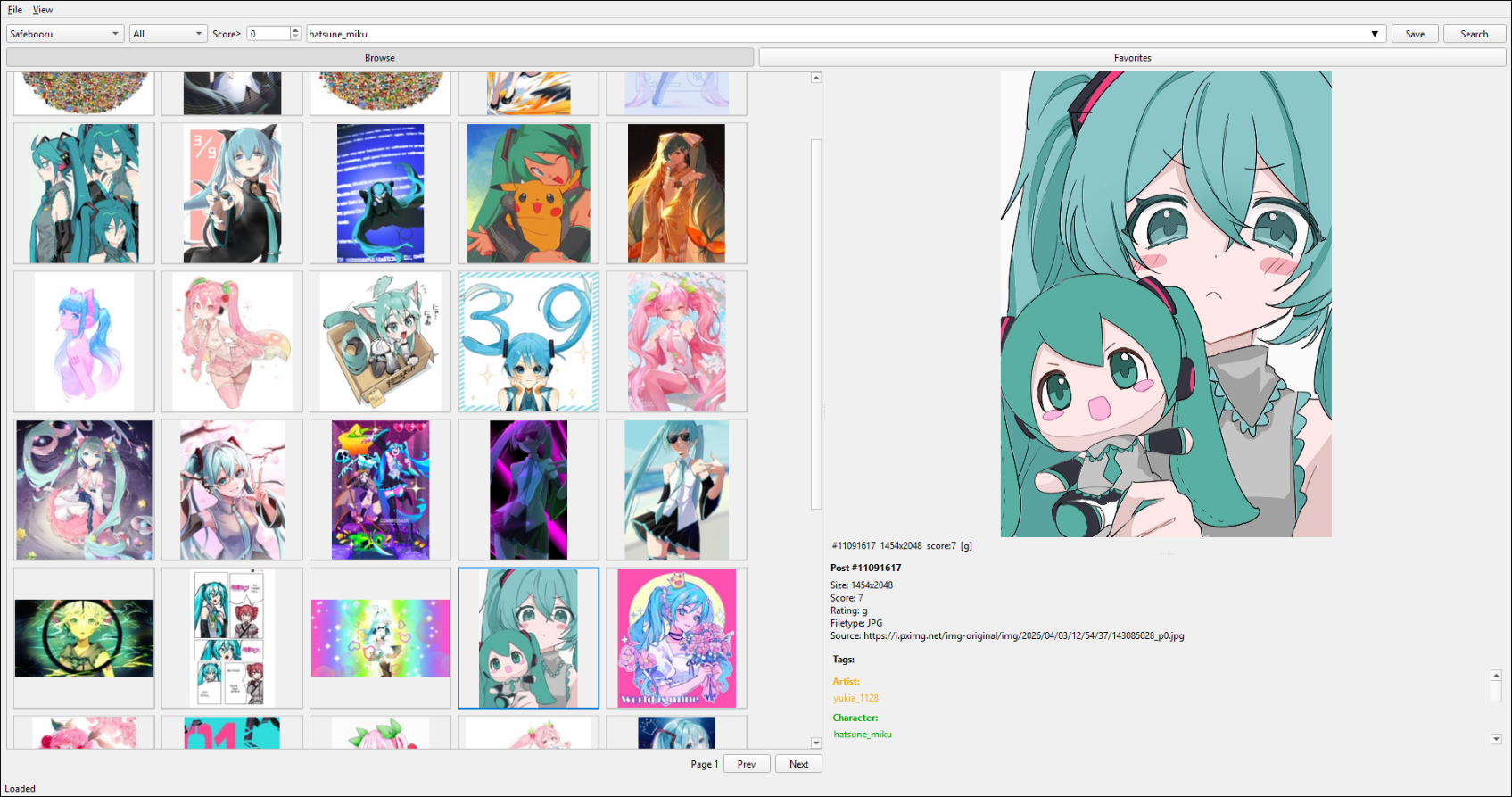
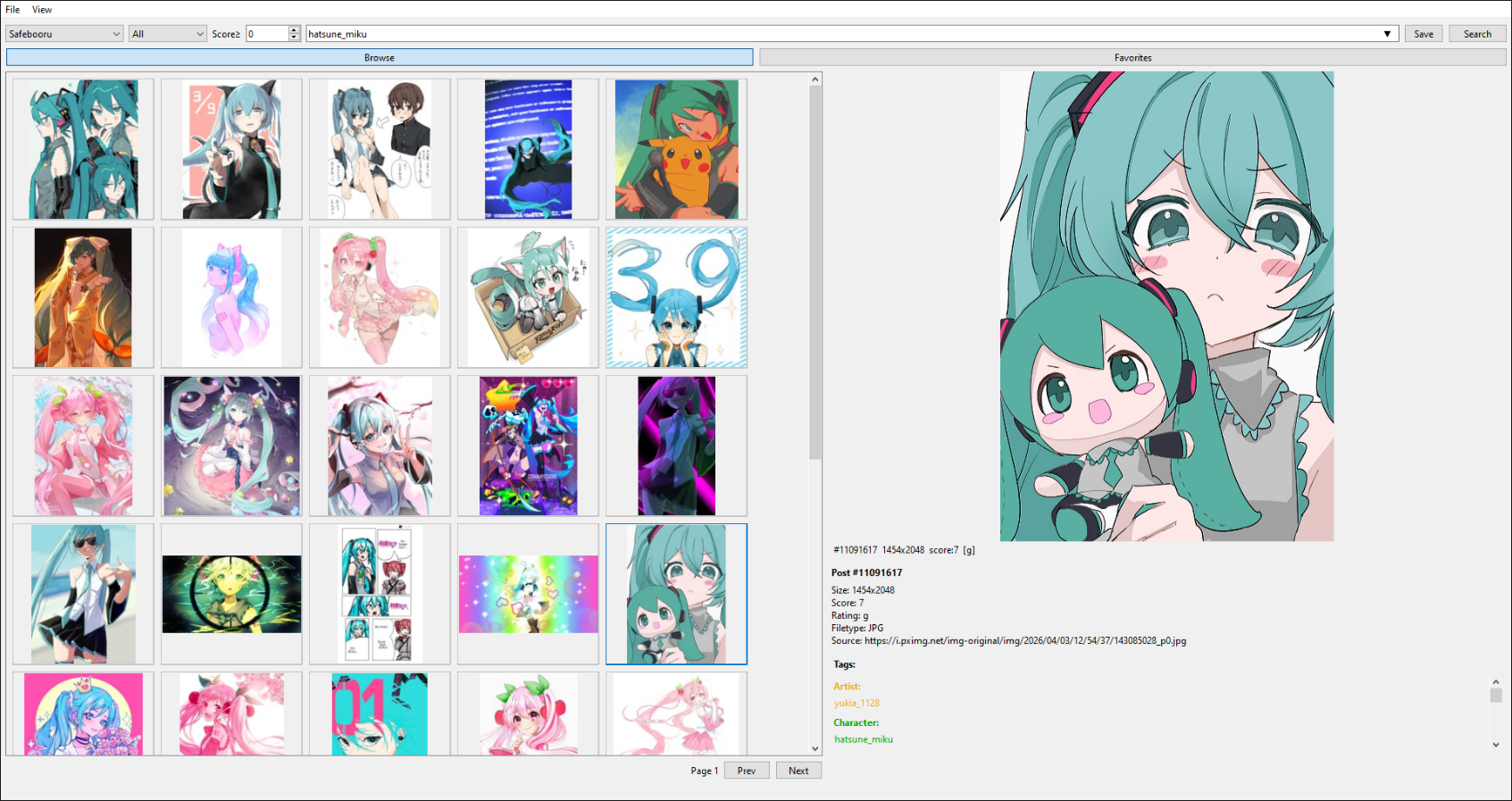
Qt6 GUI, cross-platform (Linux + Windows), fully themeable.
If you find this useful, consider buying me a coffee:

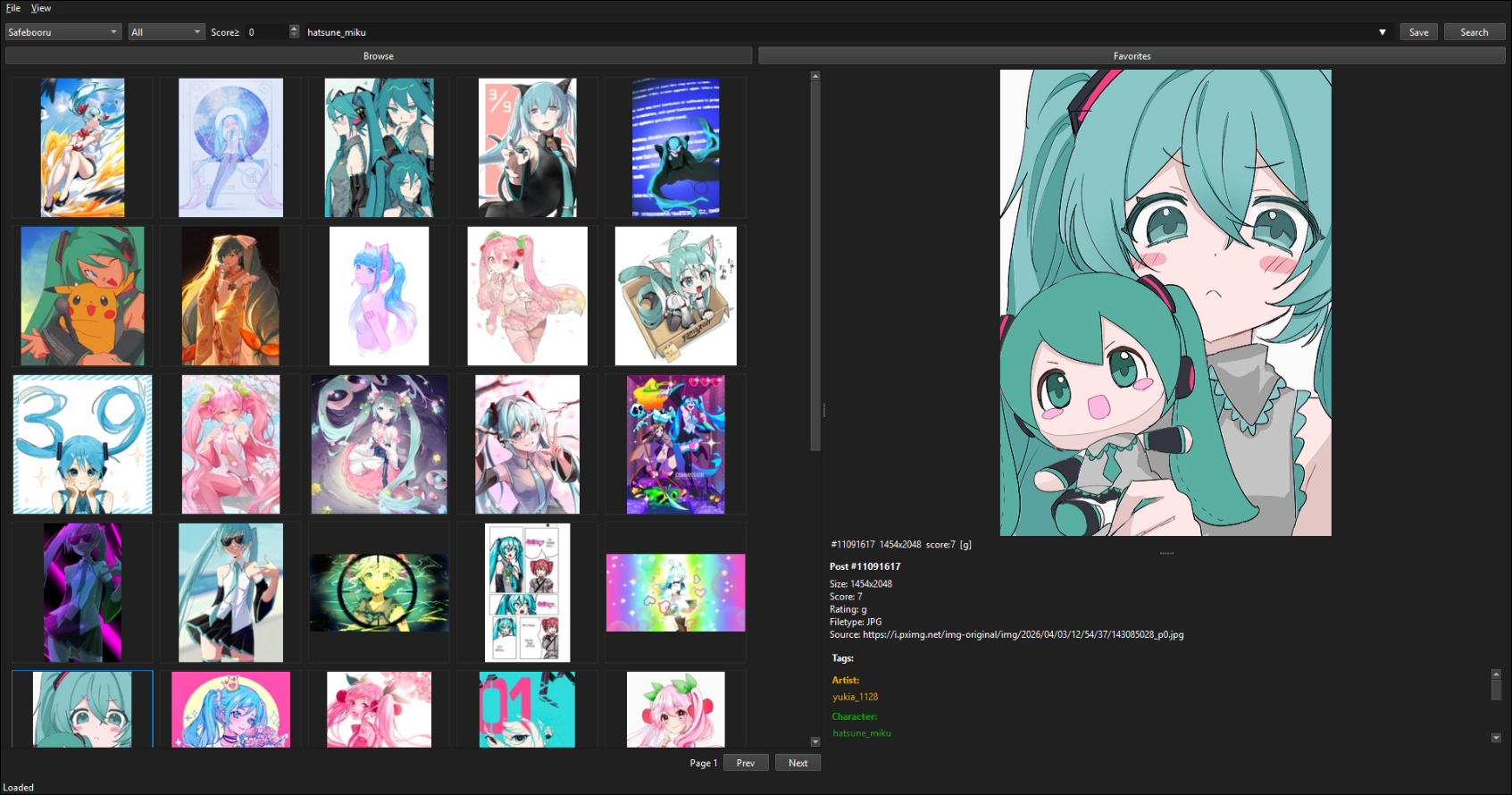
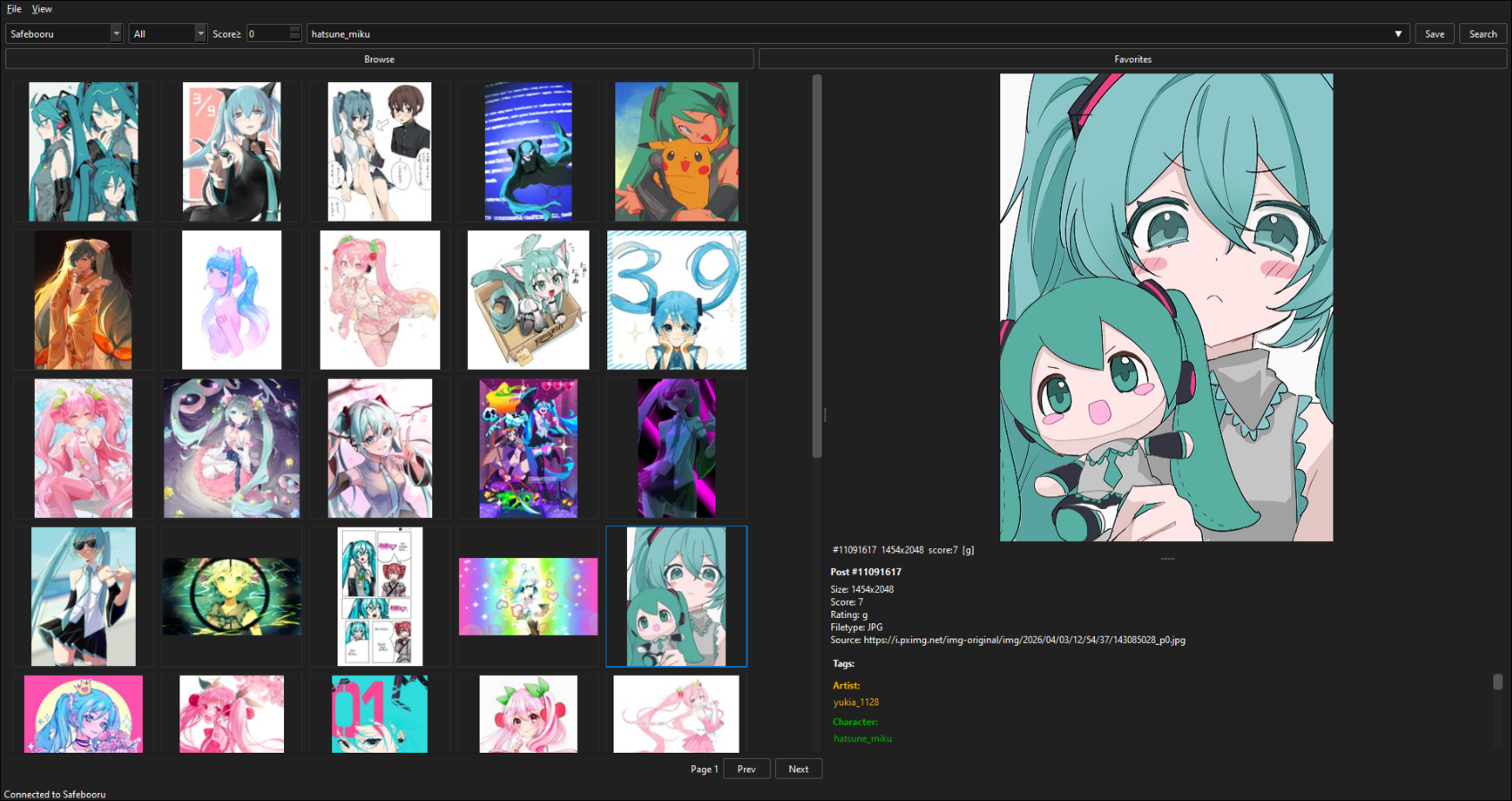
Screenshots
Windows 11 — Light Theme
Windows 11 — Dark Theme (auto-detected)
Windows 10 — Light Theme
Windows 10 — Dark Theme (auto-detected)
Linux — Styled via system Qt6 theme
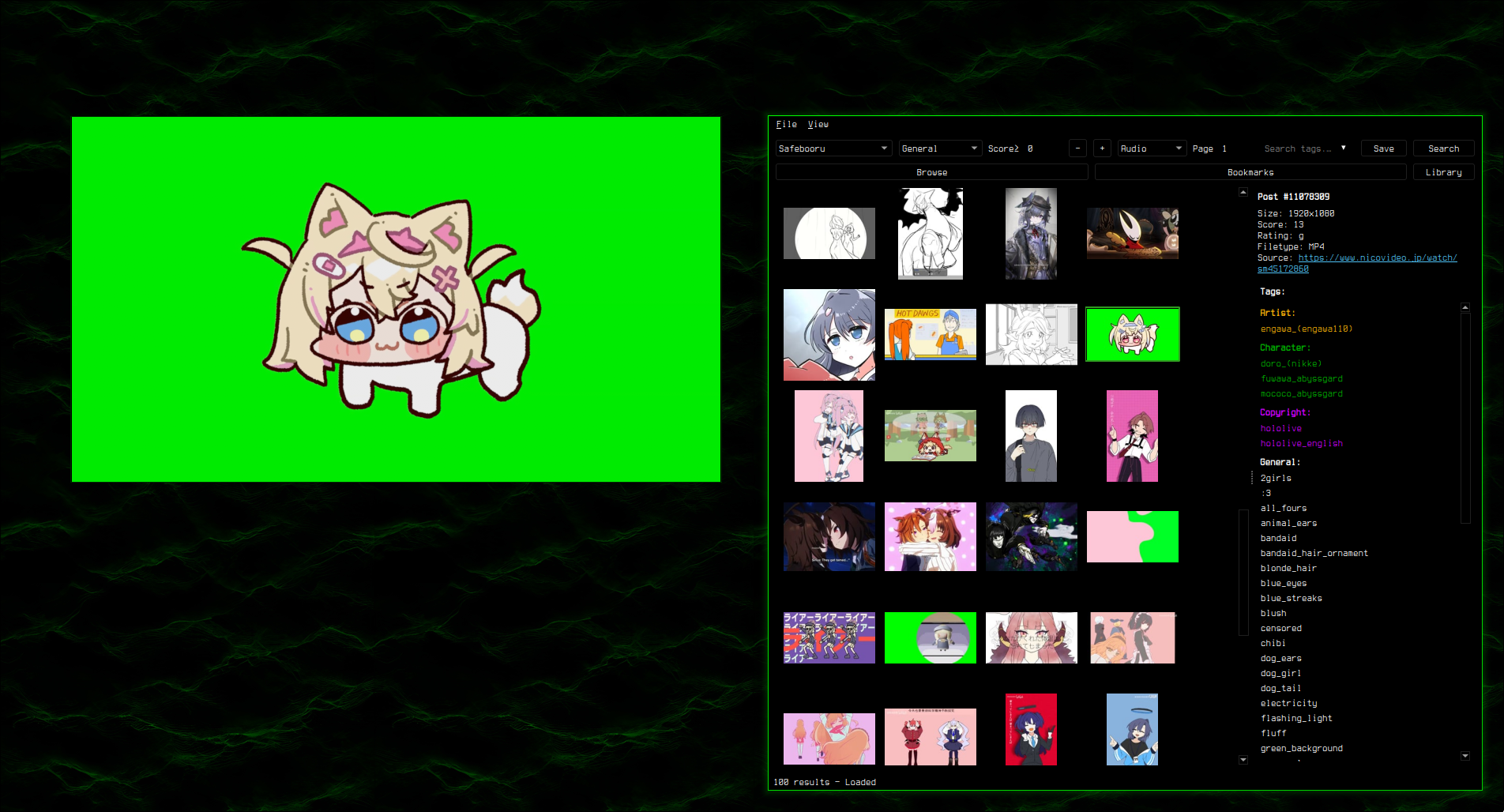
Supports custom styling via custom.qss — see Theming.
Features
Browsing
- Supports Danbooru, Gelbooru, Moebooru, and e621
- Auto-detect site API type — just paste the URL
- Tag search with autocomplete, history dropdown, and saved searches
- Rating and score filtering (server-side
score:>=N) - Media type filter — dropdown: All / Animated / Video / GIF / Audio
- Blacklisted tags and posts (client-side filtering with backfill)
- Thumbnail grid with keyboard navigation
- Infinite scroll — optional, auto-loads more posts at bottom
- Start from page — jump to any page number on search
- Page cache — prev/next loads from memory, no duplicates
- Copy File to Clipboard — Ctrl+C, works for images and videos
Preview
- Image viewer with zoom (scroll wheel), pan (drag), and reset (middle click)
- GIF animation, Pixiv ugoira auto-conversion (zip to animated GIF)
- Animated PNG/WebP auto-conversion to GIF
- Video playback via mpv (MP4, WebM, MKV) with play/pause, seek, volume, mute, and seamless looping
- Info panel with post details, date, clickable tags, and filetype
- Preview toolbar — Bookmark, Save, BL Tag, BL Post, and Popout buttons above the preview panel
Popout Viewer
- Right-click preview → "Popout" or click the Popout button in the preview toolbar
- Arrow keys /
h/j/k/lnavigate posts (including during video playback) ,/.seek 3 seconds in videos,Spacetoggles play/pause- Floating overlay UI — toolbar and video controls auto-hide after 2 seconds, reappear on mouse move
F11toggles fullscreen/windowed,Ctrl+Hhides all UI,Ctrl+Pprivacy screen- Window auto-sizes to content aspect ratio; state persisted across sessions
- Hyprland:
keep_aspect_ratioprop locks window to content proportions - Bidirectional sync — clicking posts in the main grid updates the popout
- Video position and player state synced between preview and popout
Bookmarks & Library
- Bookmark posts, organize into folders
- Three-tab layout: Browse, Bookmarks, and Library
- Save to library (unsorted or per-folder), drag-and-drop thumbnails as files
- Multi-select (Ctrl/Shift+Click, Ctrl+A) with bulk actions
- Bulk context menus in both Browse and Bookmarks tabs
- Unsave from Library available in grid, preview, and popout (only shown when post is saved)
- Import/export bookmarks as JSON
Library
- Dedicated tab for browsing saved files on disk
- Folder sidebar with configurable library directory
- Sort by date, name, or size
- Video thumbnail generation (ffmpeg if available, placeholder fallback)
- Unreachable directory detection
Search
- Inline history dropdown inside the search bar
- Saved searches with management dialog
- Click empty search bar to open history
- Session cache mode clears history on exit (keeps saved searches)
Install
Windows
Download booru-viewer-setup.exe from Releases and run the installer. It installs to AppData with Start Menu and optional desktop shortcuts. To update, just run the new installer over the old one — your data in %APPDATA%\booru-viewer\ is preserved.
Windows 10 dark mode is automatically detected and applied.
Linux
Requires Python 3.11+ and pip. Most distros ship Python but you may need to install pip and the Qt6 system libraries.
Arch / CachyOS:
sudo pacman -S python python-pip qt6-base mpv ffmpeg
Ubuntu / Debian (24.04+):
sudo apt install python3 python3-pip python3-venv mpv libmpv-dev ffmpeg
Fedora:
sudo dnf install python3 python3-pip qt6-qtbase mpv mpv-libs-devel ffmpeg
Then clone and install:
git clone https://git.pax.moe/pax/booru-viewer.git
cd booru-viewer
python3 -m venv .venv
source .venv/bin/activate
pip install -e .
Run it:
booru-viewer
Or without installing: python3 -m booru_viewer.main_gui
Desktop entry: To add booru-viewer to your app launcher, create ~/.local/share/applications/booru-viewer.desktop:
[Desktop Entry]
Name=booru-viewer
Exec=/path/to/booru-viewer/.venv/bin/booru-viewer
Icon=/path/to/booru-viewer/icon.png
Type=Application
Categories=Graphics;
Dependencies
- Python 3.11+
- PySide6 (Qt6)
- httpx
- Pillow
- python-mpv
- mpv (system package on Linux, bundled DLL on Windows)
Keybinds
Grid
| Key | Action |
|---|---|
Arrow keys / h/j/k/l |
Navigate grid |
Ctrl+A |
Select all |
Ctrl+Click / Shift+Click |
Multi-select |
Home / End |
Jump to first / last |
| Scroll tilt left / right | Previous / next page |
Ctrl+C |
Copy file to clipboard |
| Right click | Context menu |
Preview
| Key | Action |
|---|---|
| Scroll wheel | Zoom |
Middle click / 0 |
Reset view |
Arrow keys / h/j/k/l |
Navigate posts |
, / . |
Seek 3s back / forward (video) |
Space |
Play / pause (video, hover to activate) |
| Right click | Context menu (bookmark, save, popout) |
Popout
| Key | Action |
|---|---|
Arrow keys / h/j/k/l |
Navigate posts |
, / . |
Seek 3s (video) |
Space |
Play / pause (video) |
| Scroll wheel | Volume up / down (video) |
F11 |
Toggle fullscreen / windowed |
Ctrl+H |
Hide / show UI |
Ctrl+P |
Privacy screen |
Escape / Q |
Close popout |
Global
| Key | Action |
|---|---|
Ctrl+P |
Privacy screen |
F11 |
Toggle fullscreen |
Adding Sites
File > Manage Sites. Enter a URL, click Auto-Detect, and save.
API credentials are optional — needed for Gelbooru and rate-limited sites.
Tested Sites
- danbooru.donmai.us
- gelbooru.com
- rule34.xxx
- safebooru.donmai.us
- safebooru.org
- e621.net
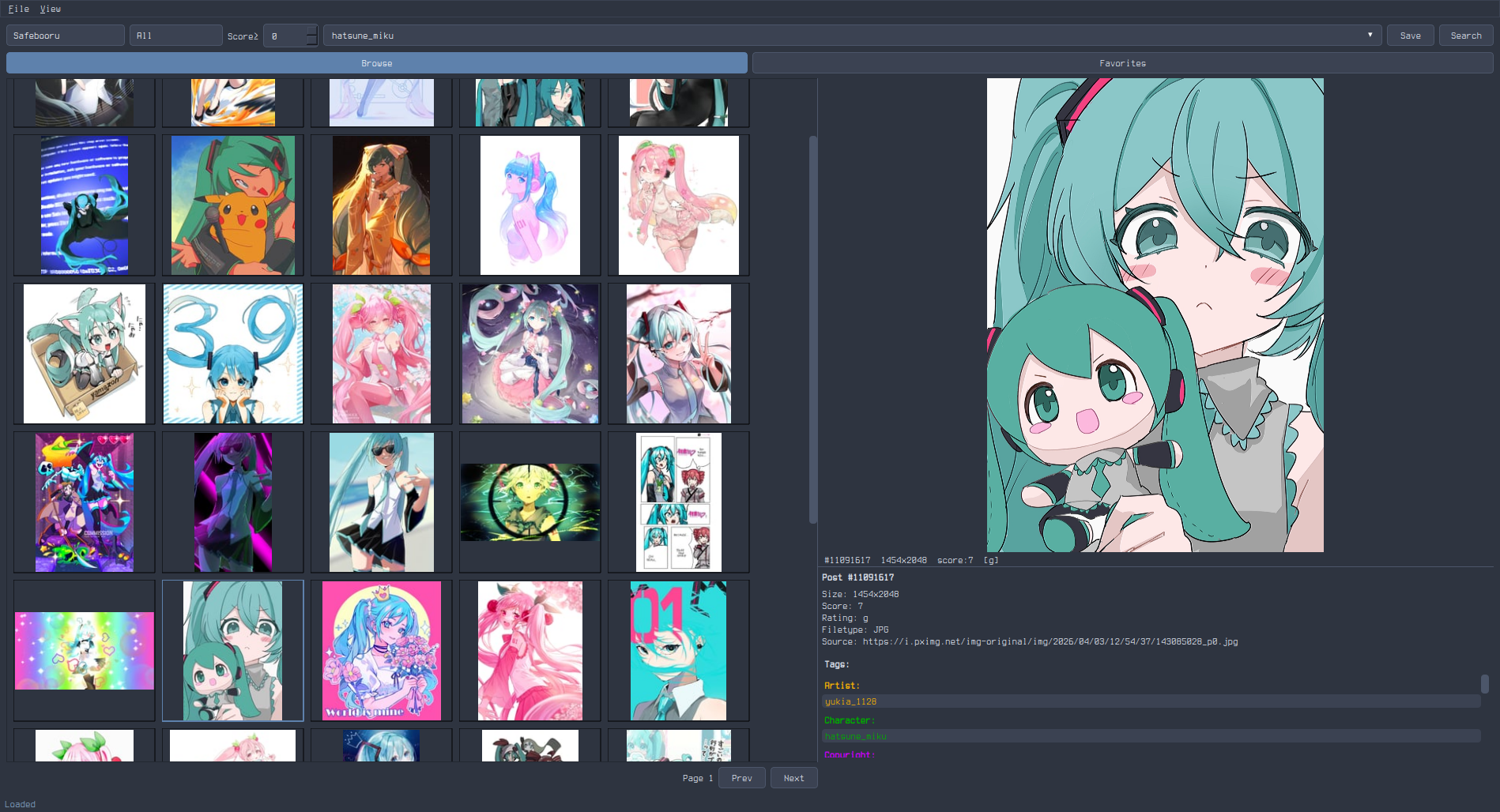
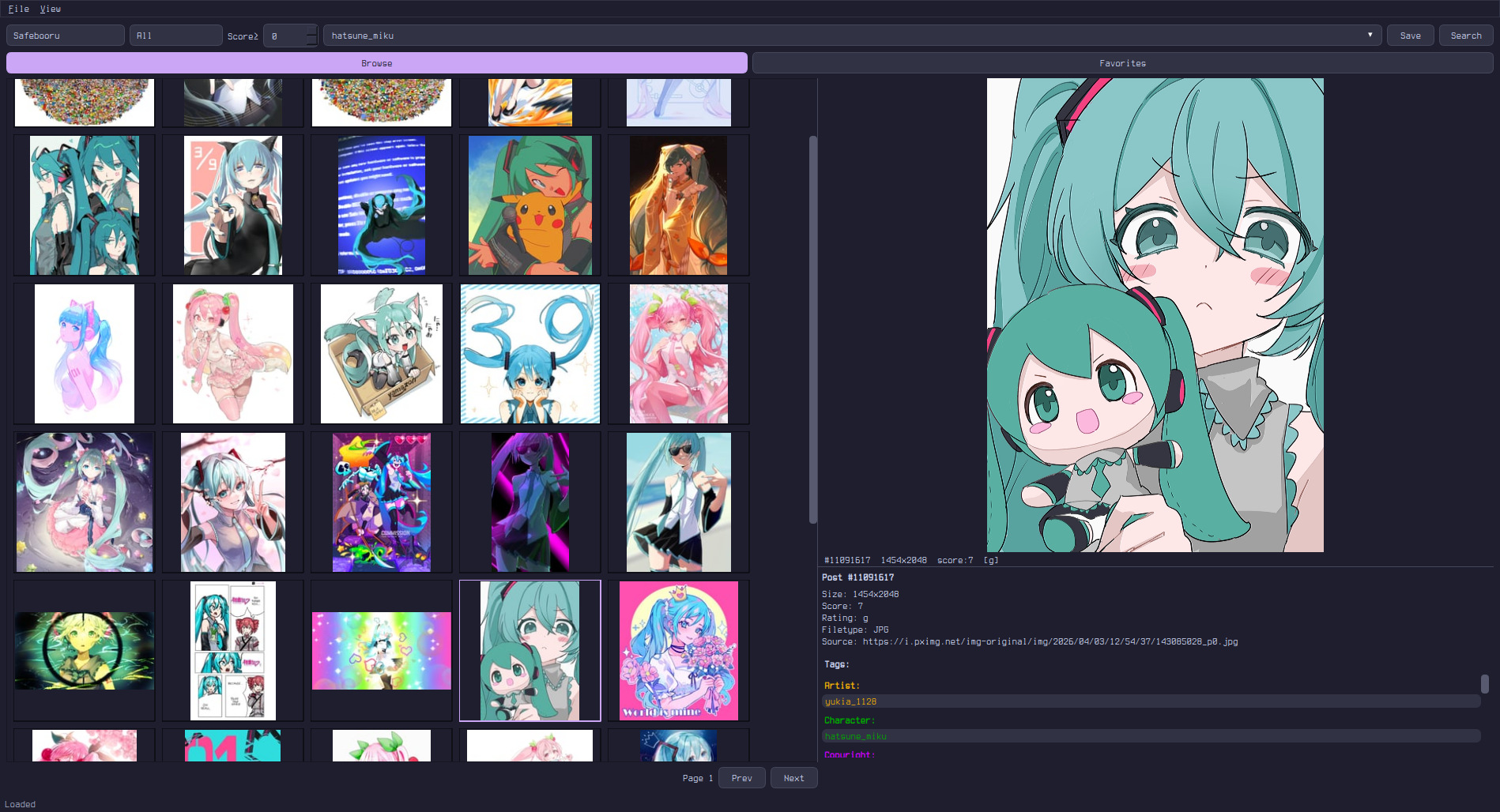
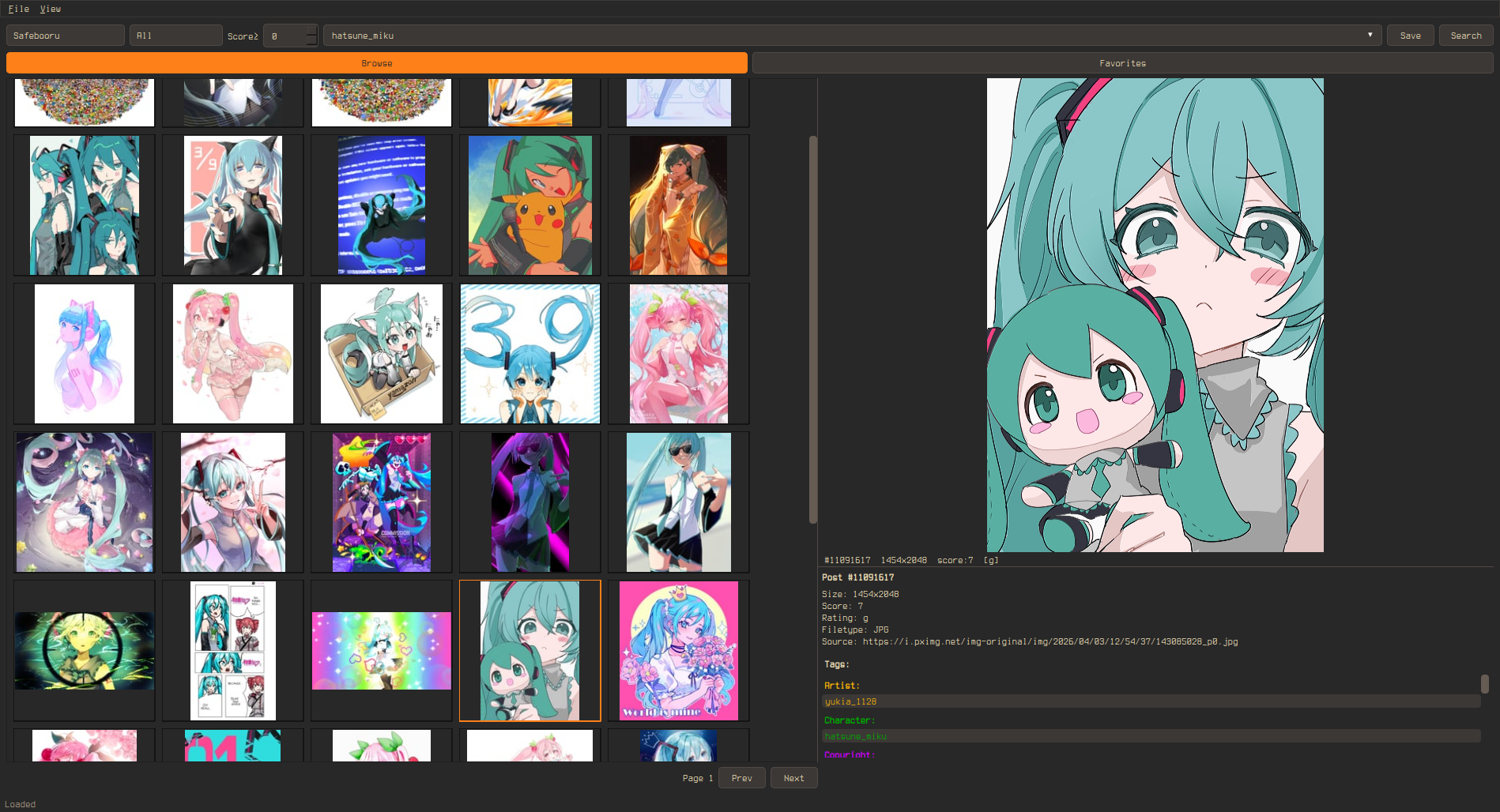
Theming
The app uses your OS native theme by default. To customize, copy a .qss file from the themes/ folder to your data directory as custom.qss:
- Linux:
~/.local/share/booru-viewer/custom.qss - Windows:
%APPDATA%\booru-viewer\custom.qss
A template is also available in Settings > Theme > Create from Template.
Included Themes
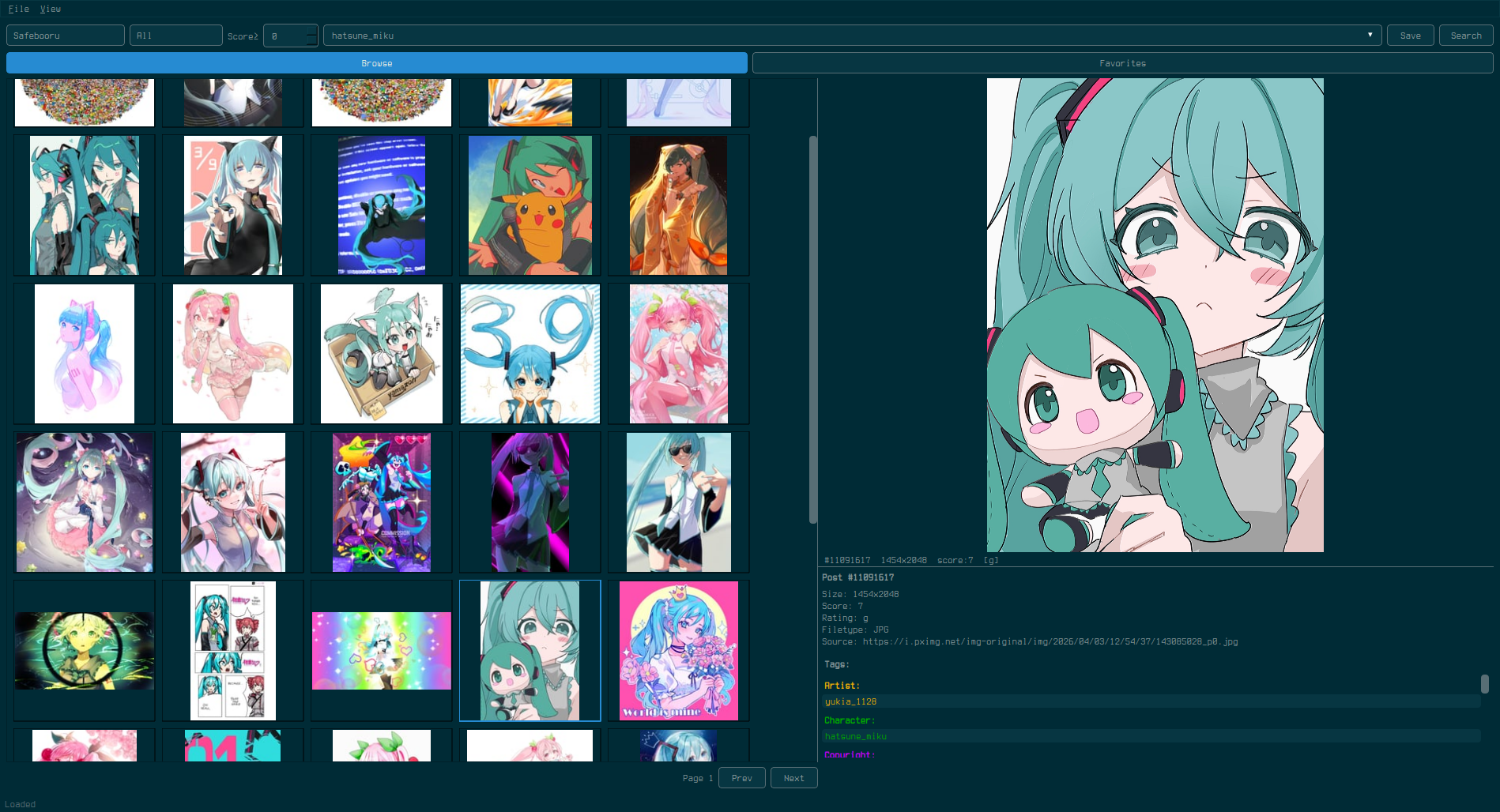
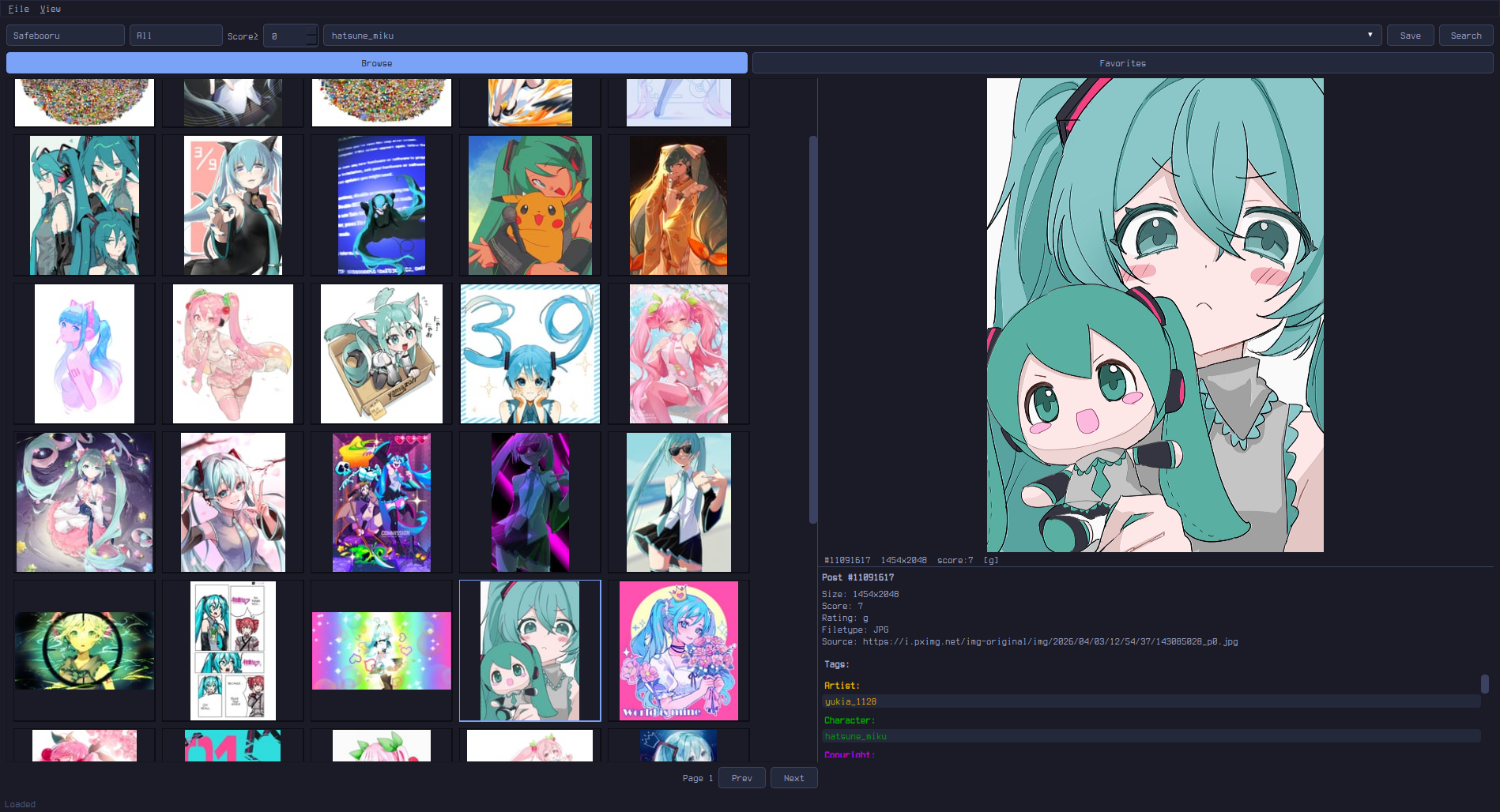
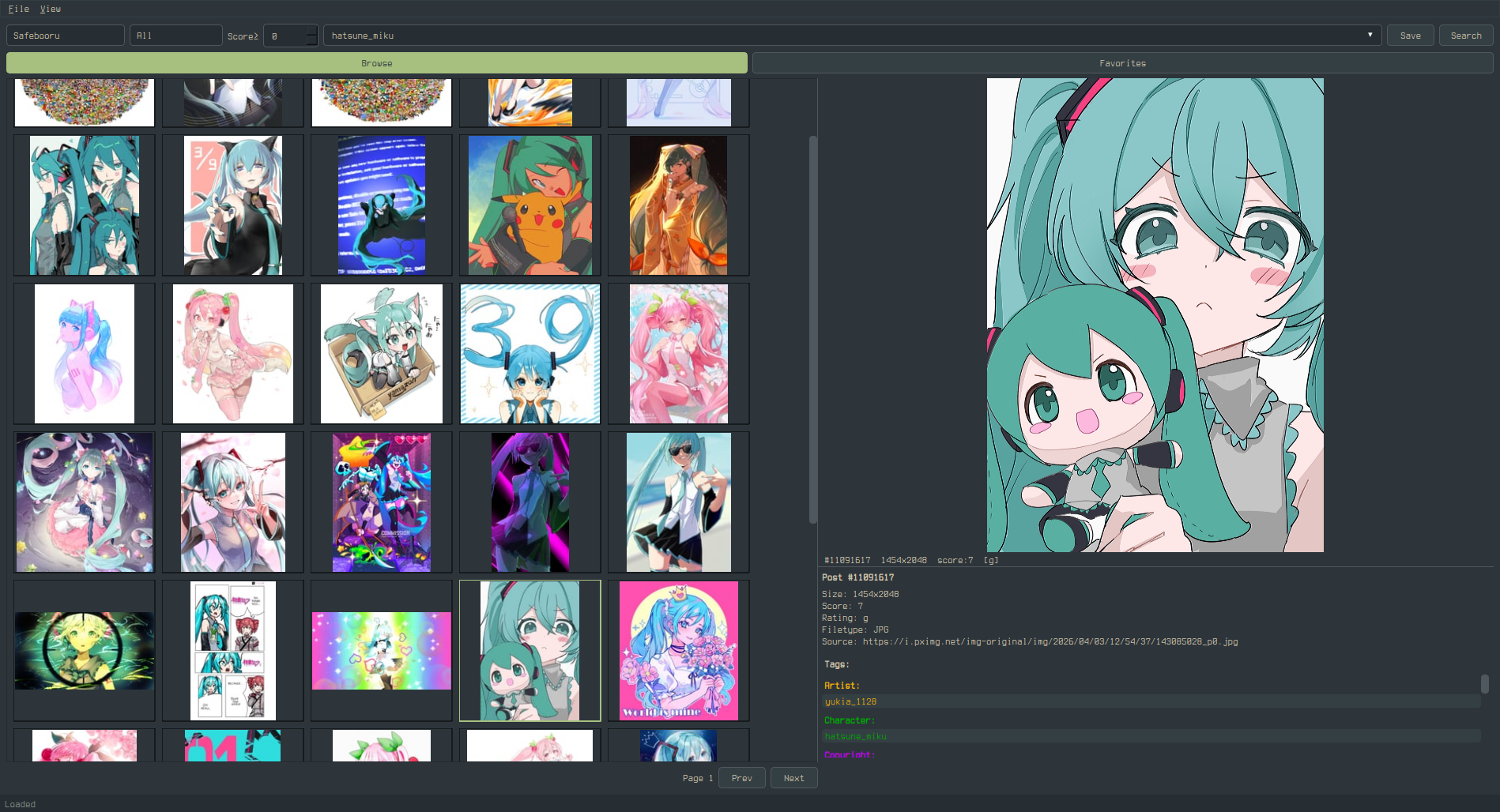
Settings
- General — page size, thumbnail size, default site, default rating/score, prefetch mode (Off / Nearby / Aggressive), infinite scroll, popout monitor, file dialog platform
- Cache — max cache size, max thumbnail cache, auto-evict, clear cache on exit (session-only mode)
- Blacklist — tag blacklist with toggle, post URL blacklist
- Paths — data directory, cache, database, configurable library directory
- Theme — custom.qss editor, template generator, CSS guide
- Network — connection log showing all hosts contacted this session
Data Locations
| Linux | Windows | |
|---|---|---|
| Database | ~/.local/share/booru-viewer/booru.db |
%APPDATA%\booru-viewer\booru.db |
| Cache | ~/.local/share/booru-viewer/cache/ |
%APPDATA%\booru-viewer\cache\ |
| Library | ~/.local/share/booru-viewer/saved/ |
%APPDATA%\booru-viewer\saved\ |
| Theme | ~/.local/share/booru-viewer/custom.qss |
%APPDATA%\booru-viewer\custom.qss |
Privacy
booru-viewer makes no connections except to the booru sites you configure. There is no telemetry, analytics, update checking, or phoning home. All data stays local on your machine.
Every outgoing request is logged in Settings > Network so you can verify this yourself — you will only see requests to the booru API endpoints and CDNs you chose to connect to.
License
MIT