

booru-viewer
Local desktop app for browsing, searching, and saving images from booru-style imageboards.
Qt6 GUI, cross-platform (Linux + Windows), fully themeable.
Screenshots
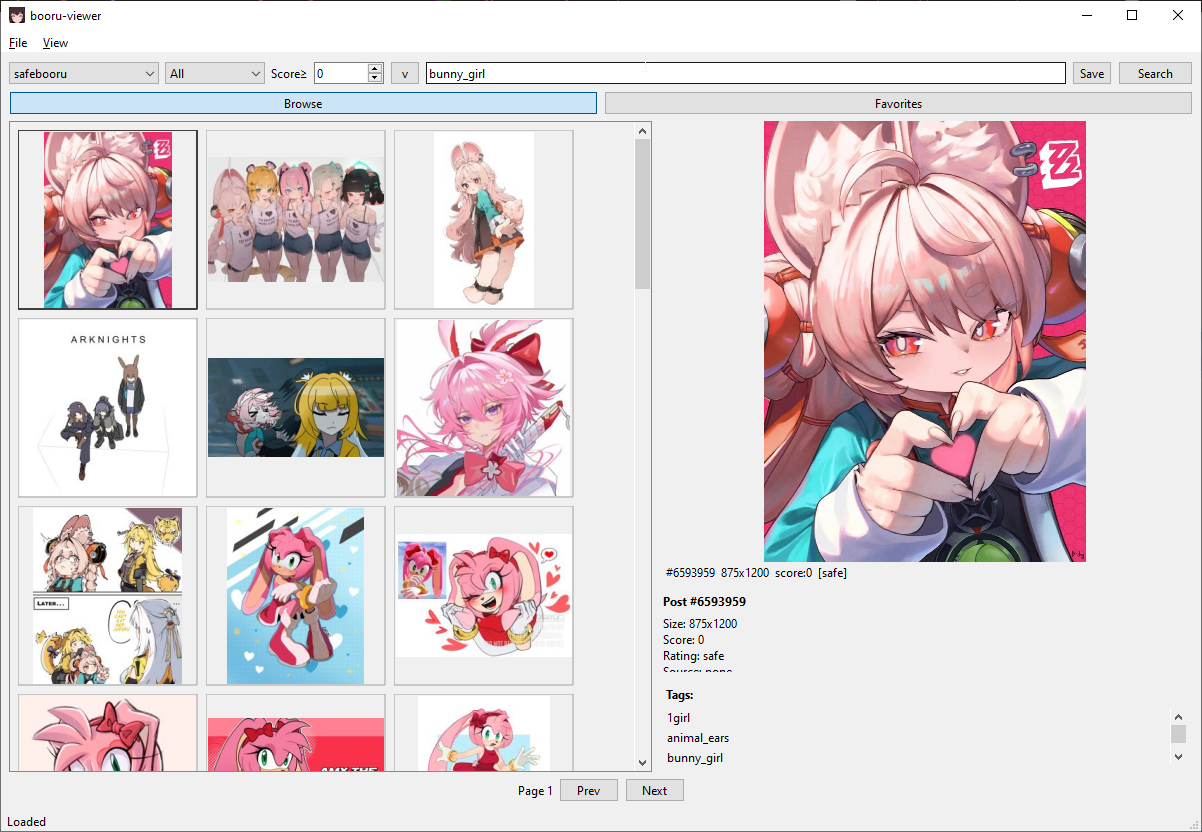
Windows 10 — Native Light Theme
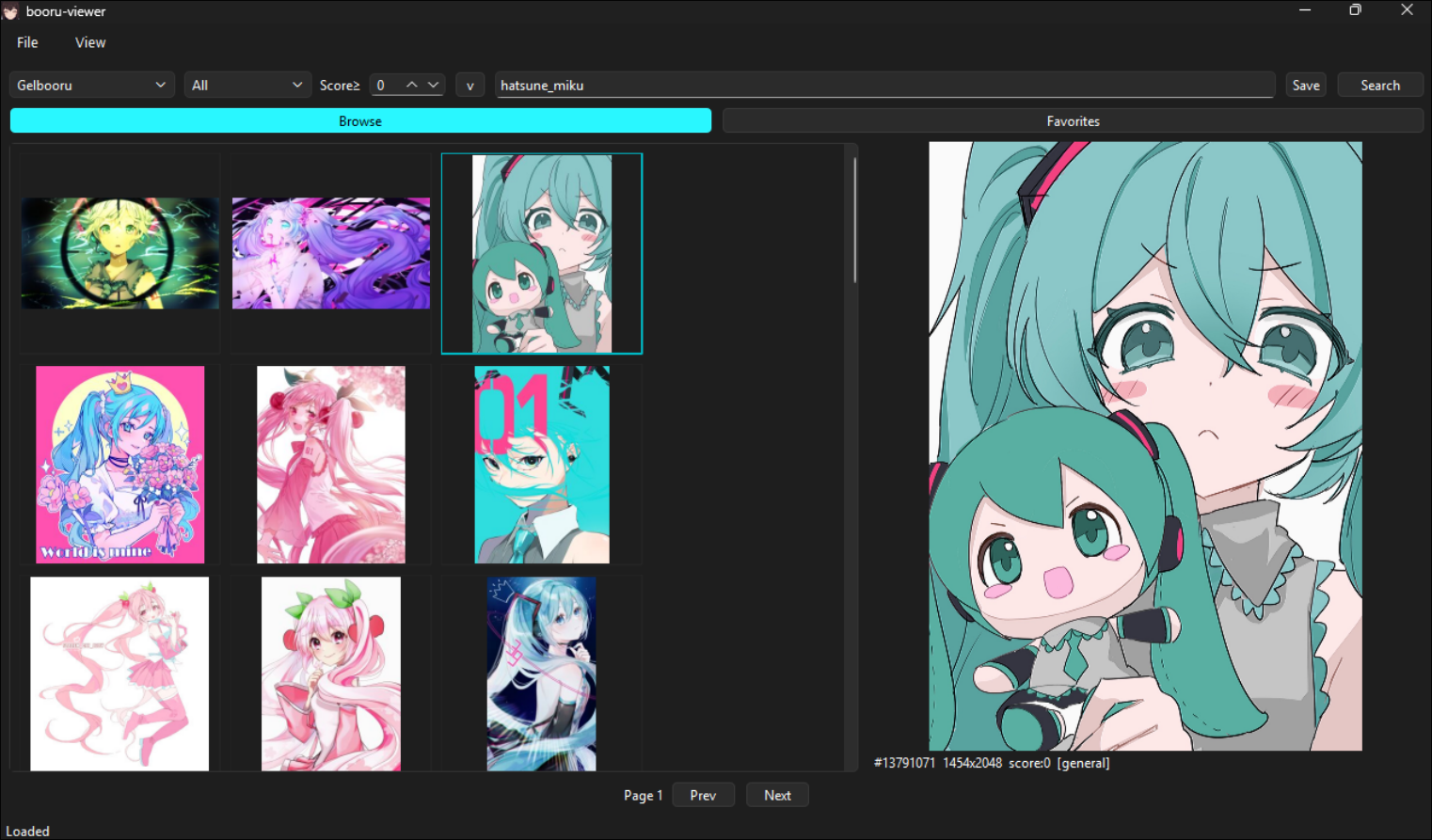
Windows 11 — Native Dark Theme
Linux — Styled via system Qt6 theme
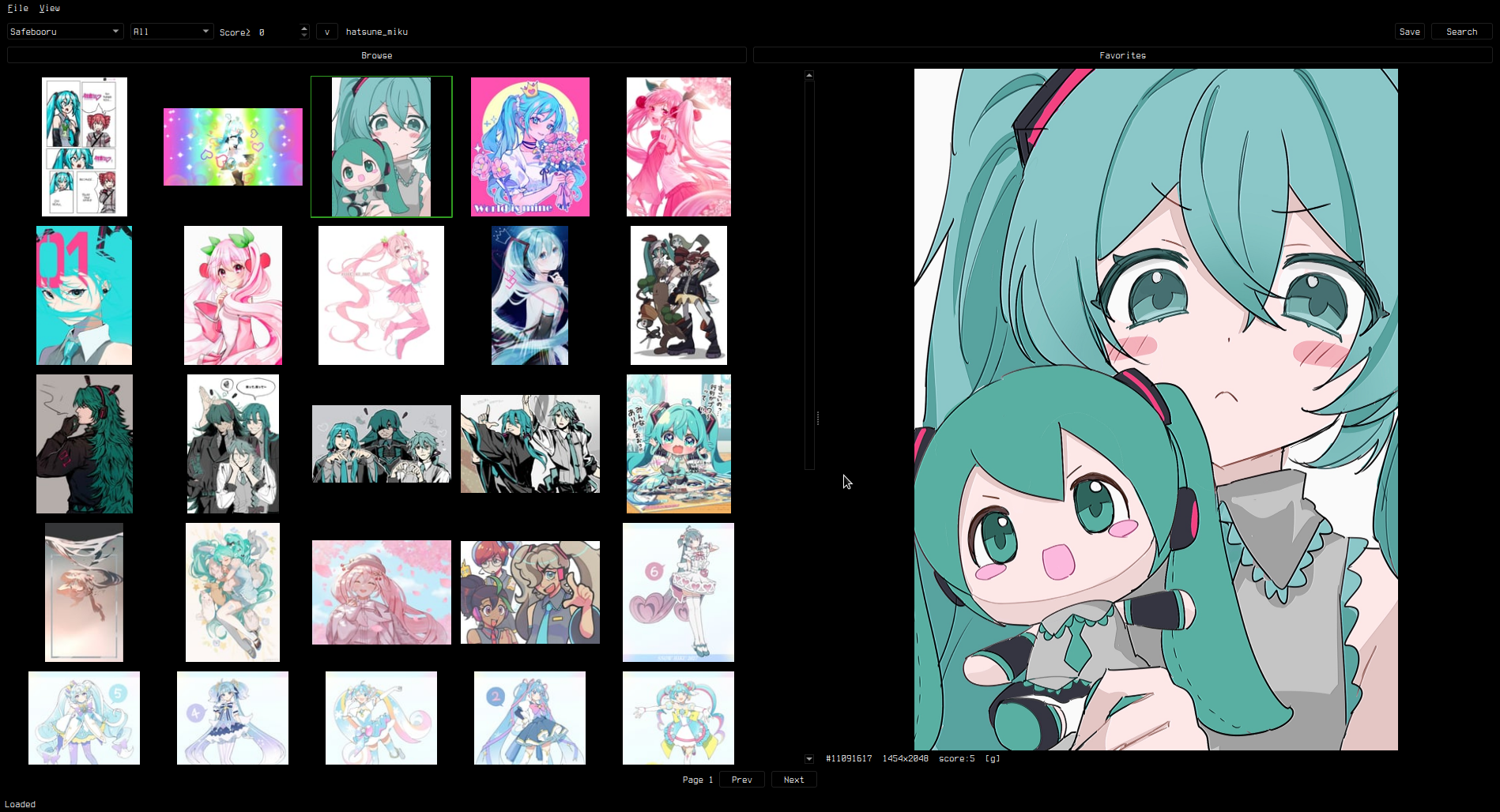
Supports custom styling via custom.qss — see Theming.
Features
Browsing
- Supports Danbooru, Gelbooru, Moebooru, and e621
- Auto-detect site API type — just paste the URL
- Tag search with autocomplete, history dropdown, and saved searches
- Rating and score filtering (server-side
score:>=N) - Blacklisted tags (appended as negatives)
- Thumbnail grid with keyboard navigation
Preview
- Image viewer with zoom (scroll wheel), pan (drag), and reset (middle click)
- GIF animation, Pixiv ugoira auto-conversion (zip to animated GIF)
- Video playback (MP4, WebM) with play/pause, seek, volume, mute, and seamless looping
- Info panel with post details, clickable tags, and filetype
Slideshow Mode
- Right-click preview → "Slideshow Mode" for fullscreen viewing
- Arrow keys /
h/j/k/lnavigate posts (including during video playback) ,/.seek 5 seconds in videos,Spacetoggles play/pause- Toolbar with Favorite and Save/Unsave toggle buttons showing current state
F11toggles fullscreen/windowed,Ctrl+Hhides all UI- Bidirectional sync — clicking posts in the main grid updates the slideshow
- Page boundary navigation — past the last/first post loads next/prev page
Favorites & Library
- Favorite posts, organize into folders
- Save to library (unsorted or per-folder), drag-and-drop thumbnails as files
- Multi-select (Ctrl/Shift+Click, Ctrl+A) with bulk actions
- Bulk context menus in both Browse and Favorites tabs
- Unsave from Library available in grid, preview, and slideshow
- Import/export favorites as JSON
Search
- Inline history dropdown inside the search bar
- Saved searches with management dialog
- Click empty search bar to open history
- Session cache mode clears history on exit (keeps saved searches)
Install
Linux
pip install -e .
booru-viewer
Or run directly: python -m booru_viewer.main_gui
Windows
Download booru-viewer.exe from Releases.
For WebM video playback, install VP9 Video Extensions from the Microsoft Store.
Windows 10 dark mode is automatically detected and applied.
Dependencies
- Python 3.11+
- PySide6 (Qt6)
- httpx
- Pillow
Keybinds
Grid
| Key | Action |
|---|---|
Arrow keys / h/j/k/l |
Navigate grid |
Ctrl+A |
Select all |
Ctrl+Click / Shift+Click |
Multi-select |
Home / End |
Jump to first / last |
| Right click | Context menu |
Preview
| Key | Action |
|---|---|
| Scroll wheel | Zoom |
Middle click / 0 |
Reset view |
| Left / Right | Previous / next post |
, / . |
Seek 5s back / forward (video) |
Space |
Play / pause (video) |
| Right click | Context menu (favorite, save, slideshow) |
Slideshow
| Key | Action |
|---|---|
Arrow keys / h/j/k/l |
Navigate posts |
, / . |
Seek 5s (video) |
Space |
Play / pause (video) |
F11 |
Toggle fullscreen / windowed |
Ctrl+H |
Hide / show UI |
Escape / Q |
Close slideshow |
Global
| Key | Action |
|---|---|
Ctrl+P |
Privacy screen |
F11 |
Toggle fullscreen |
Adding Sites
File > Manage Sites. Enter a URL, click Auto-Detect, and save.
API credentials are optional — needed for Gelbooru and rate-limited sites.
Theming
The app uses your OS native theme by default. To customize, create custom.qss in your data directory:
- Linux:
~/.local/share/booru-viewer/custom.qss - Windows:
%APPDATA%\booru-viewer\custom.qss
A template is available in Settings > Theme > Create from Template.
Settings
- General — page size, thumbnail size, default rating/score, file dialog platform
- Cache — max cache size, auto-evict, clear cache on exit (session-only mode)
- Blacklist — tag blacklist with import/export
- Paths — data directory, cache, database locations
- Theme — custom.qss editor, template generator, CSS guide
Data Locations
| Linux | Windows | |
|---|---|---|
| Database | ~/.local/share/booru-viewer/booru.db |
%APPDATA%\booru-viewer\booru.db |
| Cache | ~/.local/share/booru-viewer/cache/ |
%APPDATA%\booru-viewer\cache\ |
| Library | ~/.local/share/booru-viewer/saved/ |
%APPDATA%\booru-viewer\saved\ |
| Theme | ~/.local/share/booru-viewer/custom.qss |
%APPDATA%\booru-viewer\custom.qss |
License
MIT