 pax
94405cfa85
pax
94405cfa85
When navigating past the last post (next page) or before the first
post (prev page), the new page loads and automatically selects and
previews the first or last post. Works in both preview and slideshow.

booru-viewer
Local desktop application for browsing, searching, and favoriting images from booru-style imageboards.
Screenshots
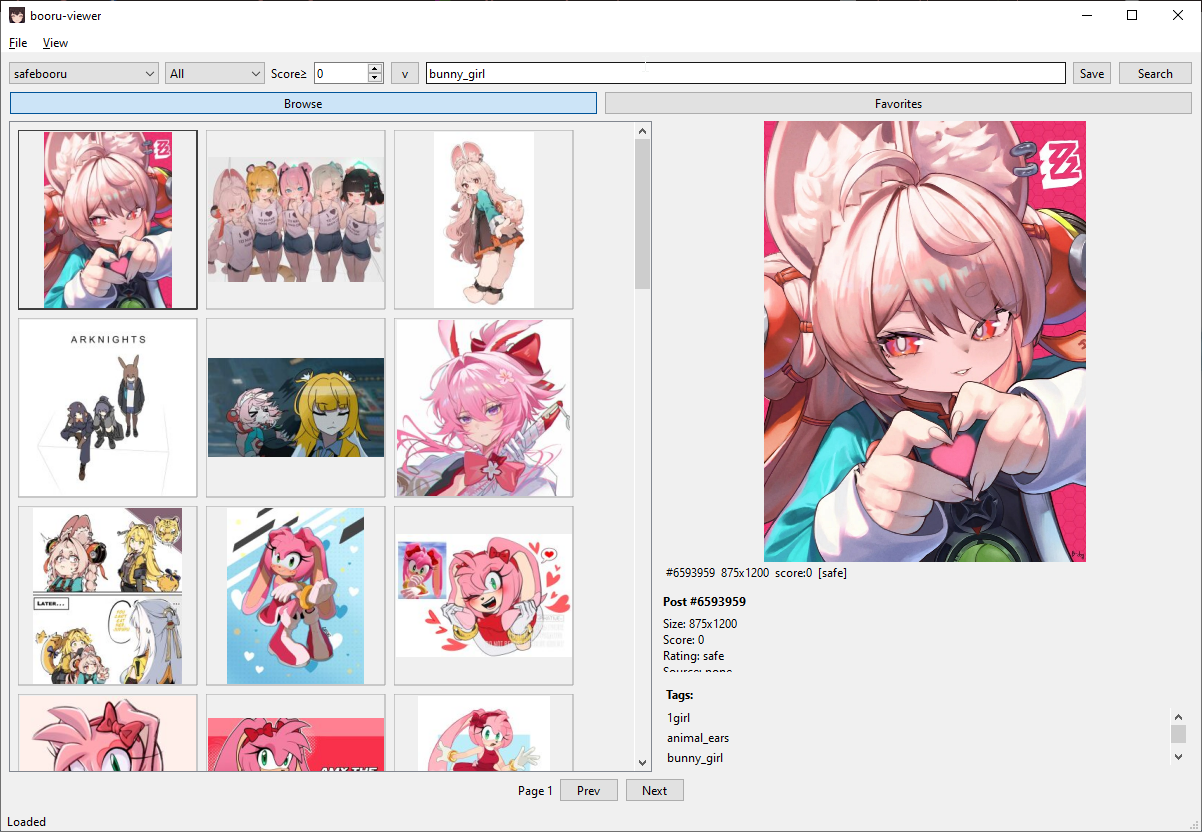
Windows 10 — Native Light Theme
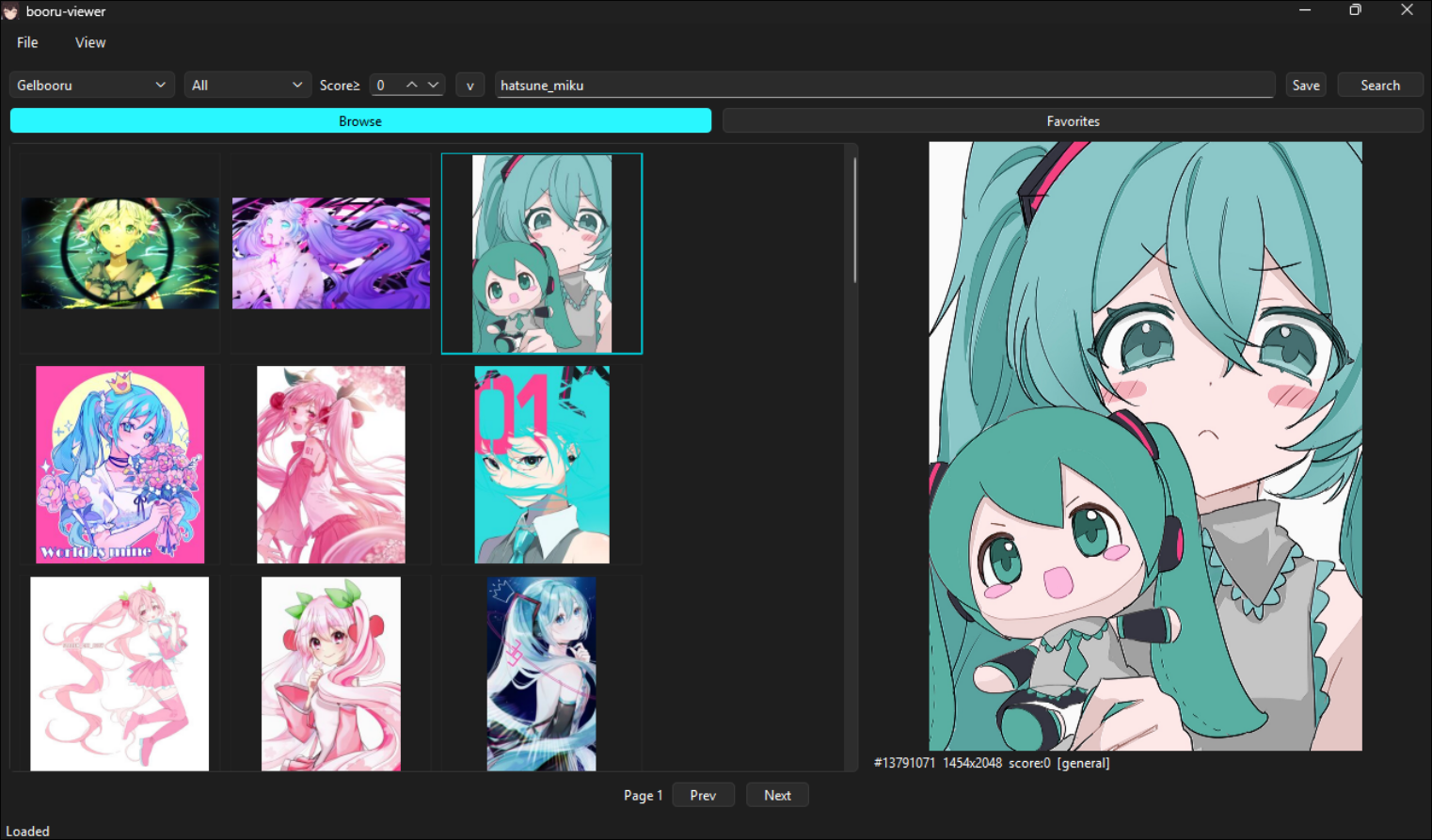
Windows 11 — Native Dark Theme
Linux — Styled via system Qt6 theme
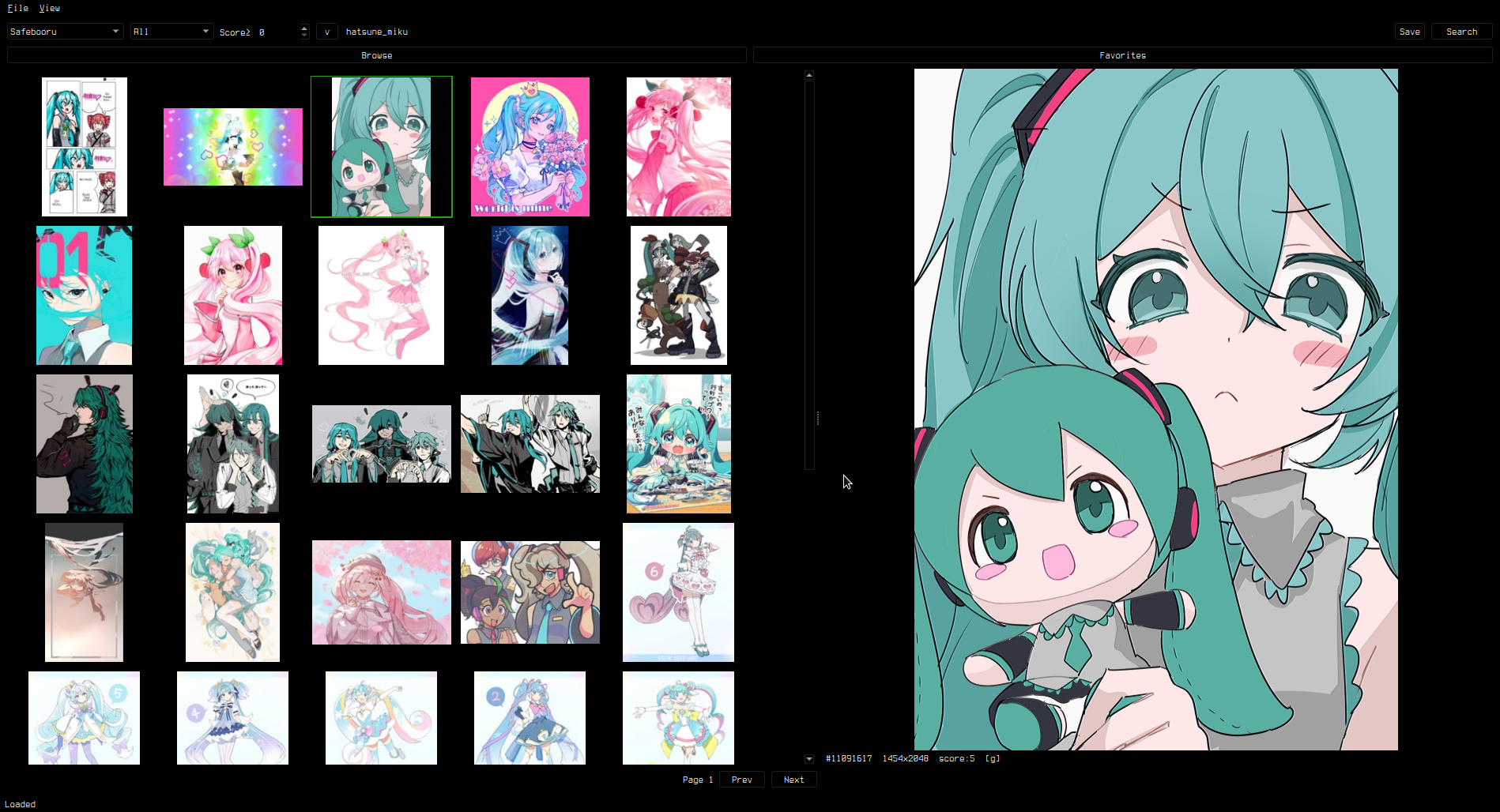
Supports custom styling via custom.qss — see Theming.
Features
- Supports Danbooru, Gelbooru, Moebooru, and e621
- Auto-detect site API type — just paste the URL
- Tag search with autocomplete and history
- Thumbnail grid with image/video preview (zoom, pan, GIF animation)
- Favorites with folder organization
- Save to library, drag-and-drop, multi-select bulk operations
- Custom CSS theming (native OS look by default)
- Cross-platform: Linux and Windows
Install
pip install -e .
Dependencies
- Python 3.11+
- PySide6 (Qt6)
- httpx
- Pillow
Usage
booru-viewer
Or run directly:
python -m booru_viewer.main_gui
Windows
Download booru-viewer.exe from Releases.
For WebM video playback, install VP9 Video Extensions from the Microsoft Store.
Keybinds
| Key | Action |
|---|---|
| Click / Arrow keys | Select and preview |
h/j/k/l |
Grid navigation |
Ctrl+A |
Select all |
Ctrl+Click / Shift+Click |
Multi-select |
| Scroll wheel | Zoom in preview |
| Middle click | Reset view |
| Left / Right | Previous / next post |
Ctrl+P |
Privacy screen |
F11 |
Fullscreen |
| Right click | Context menu |
Adding Sites
File > Manage Sites. Enter a URL, click Auto-Detect, and save.
API credentials are optional — needed for Gelbooru and rate-limited sites.
Theming
The app uses your OS native theme by default. To customize, create custom.qss in your data directory:
- Linux:
~/.local/share/booru-viewer/custom.qss - Windows:
%APPDATA%\booru-viewer\custom.qss
A green-on-black theme template is available in Settings > Theme > Create from Template.
Data Locations
| Linux | Windows | |
|---|---|---|
| Database | ~/.local/share/booru-viewer/booru.db |
%APPDATA%\booru-viewer\booru.db |
| Cache | ~/.local/share/booru-viewer/cache/ |
%APPDATA%\booru-viewer\cache\ |
| Library | ~/.local/share/booru-viewer/saved/ |
%APPDATA%\booru-viewer\saved\ |
License
MIT