

booru-viewer
Local desktop app for browsing, searching, and saving images from booru-style imageboards.
Qt6 GUI, cross-platform (Linux + Windows), fully themeable.
Screenshots
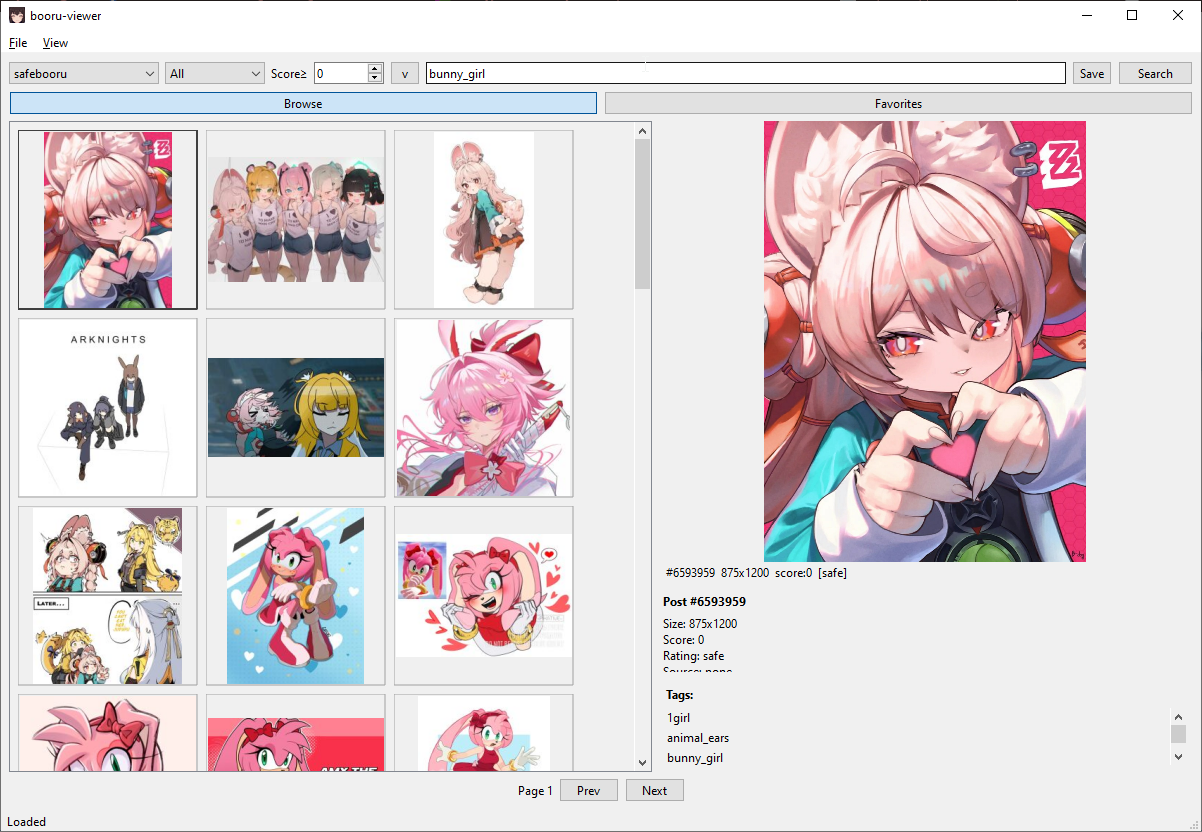
Windows 10 — Native Light Theme
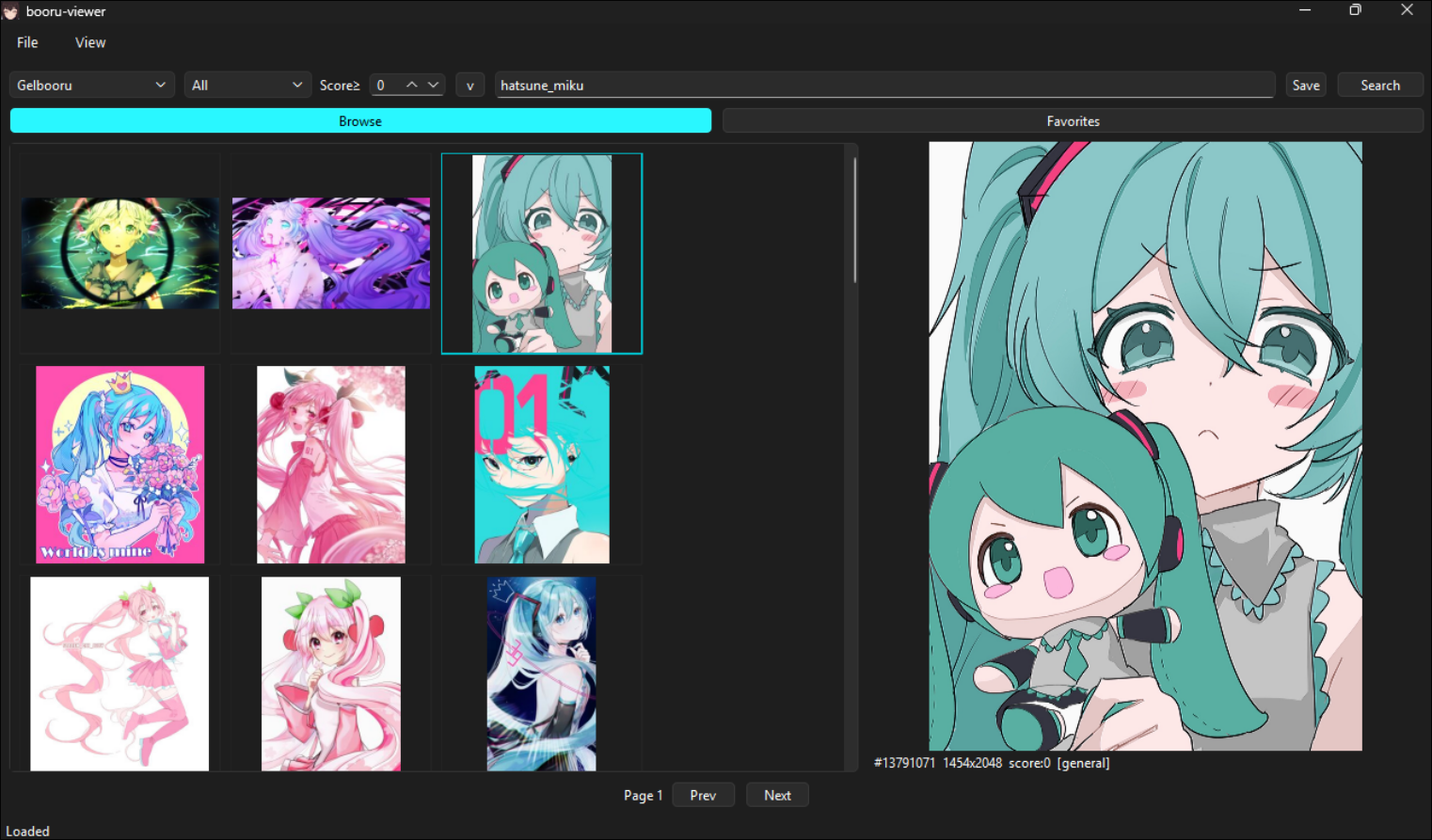
Windows 11 — Native Dark Theme
Linux — Styled via system Qt6 theme
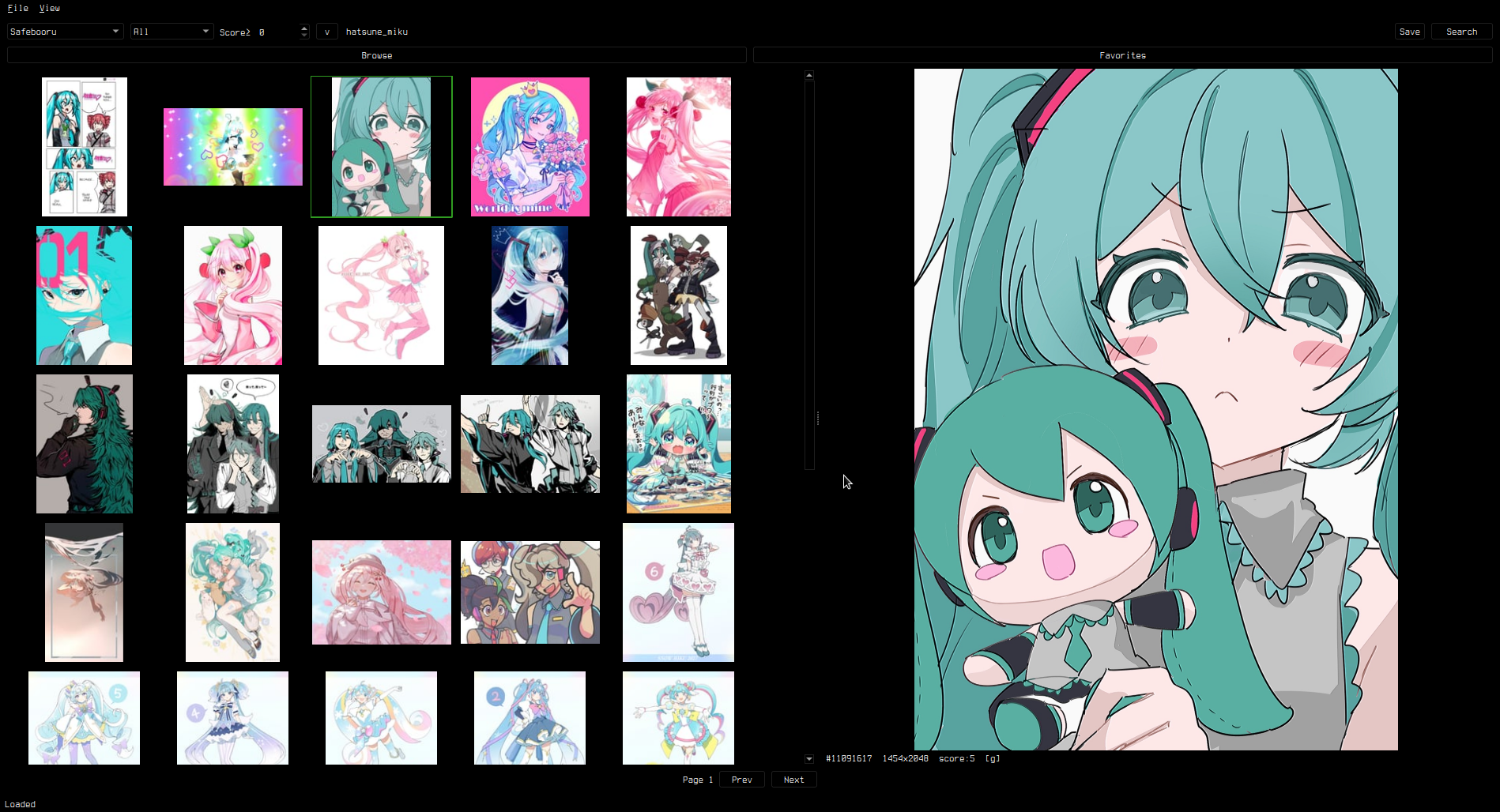
Supports custom styling via custom.qss — see Theming.
Features
Browsing
- Supports Danbooru, Gelbooru, Moebooru, and e621
- Auto-detect site API type — just paste the URL
- Tag search with autocomplete, history dropdown, and saved searches
- Rating and score filtering (server-side
score:>=N) - Blacklisted tags (appended as negatives)
- Thumbnail grid with keyboard navigation
Preview
- Image viewer with zoom (scroll wheel), pan (drag), and reset (middle click)
- GIF animation, Pixiv ugoira auto-conversion (zip to animated GIF)
- Video playback (MP4, WebM) with play/pause, seek, volume, mute, and seamless looping
- Info panel with post details, clickable tags, and filetype
Slideshow Mode
- Right-click preview → "Slideshow Mode" for fullscreen viewing
- Arrow keys /
h/j/k/lnavigate posts (including during video playback) ,/.seek 5 seconds in videos,Spacetoggles play/pause- Toolbar with Favorite and Save/Unsave toggle buttons showing current state
F11toggles fullscreen/windowed,Ctrl+Hhides all UI- Bidirectional sync — clicking posts in the main grid updates the slideshow
- Page boundary navigation — past the last/first post loads next/prev page
Favorites & Library
- Favorite posts, organize into folders
- Save to library (unsorted or per-folder), drag-and-drop thumbnails as files
- Multi-select (Ctrl/Shift+Click, Ctrl+A) with bulk actions
- Bulk context menus in both Browse and Favorites tabs
- Unsave from Library available in grid, preview, and slideshow
- Import/export favorites as JSON
Search
- Inline history dropdown inside the search bar
- Saved searches with management dialog
- Click empty search bar to open history
- Session cache mode clears history on exit (keeps saved searches)
Install
Linux
pip install -e .
booru-viewer
Or run directly: python -m booru_viewer.main_gui
Windows
Download booru-viewer.exe from Releases.
For WebM video playback, install VP9 Video Extensions from the Microsoft Store.
Windows 10 dark mode is automatically detected and applied.
Dependencies
- Python 3.11+
- PySide6 (Qt6)
- httpx
- Pillow
Keybinds
Grid
| Key | Action |
|---|---|
Arrow keys / h/j/k/l |
Navigate grid |
Ctrl+A |
Select all |
Ctrl+Click / Shift+Click |
Multi-select |
Home / End |
Jump to first / last |
| Right click | Context menu |
Preview
| Key | Action |
|---|---|
| Scroll wheel | Zoom |
Middle click / 0 |
Reset view |
| Left / Right | Previous / next post |
, / . |
Seek 5s back / forward (video) |
Space |
Play / pause (video) |
| Right click | Context menu (favorite, save, slideshow) |
Slideshow
| Key | Action |
|---|---|
Arrow keys / h/j/k/l |
Navigate posts |
, / . |
Seek 5s (video) |
Space |
Play / pause (video) |
F11 |
Toggle fullscreen / windowed |
Ctrl+H |
Hide / show UI |
Escape / Q |
Close slideshow |
Global
| Key | Action |
|---|---|
Ctrl+P |
Privacy screen |
F11 |
Toggle fullscreen |
Adding Sites
File > Manage Sites. Enter a URL, click Auto-Detect, and save.
API credentials are optional — needed for Gelbooru and rate-limited sites.
Theming
The app uses your OS native theme by default. To customize, create custom.qss in your data directory:
- Linux:
~/.local/share/booru-viewer/custom.qss - Windows:
%APPDATA%\booru-viewer\custom.qss
A template is available in Settings > Theme > Create from Template.
Settings
- General — page size, thumbnail size, default rating/score, file dialog platform
- Cache — max cache size, auto-evict, clear cache on exit (session-only mode)
- Blacklist — tag blacklist with import/export
- Paths — data directory, cache, database locations
- Theme — custom.qss editor, template generator, CSS guide
Data Locations
| Linux | Windows | |
|---|---|---|
| Database | ~/.local/share/booru-viewer/booru.db |
%APPDATA%\booru-viewer\booru.db |
| Cache | ~/.local/share/booru-viewer/cache/ |
%APPDATA%\booru-viewer\cache\ |
| Library | ~/.local/share/booru-viewer/saved/ |
%APPDATA%\booru-viewer\saved\ |
| Theme | ~/.local/share/booru-viewer/custom.qss |
%APPDATA%\booru-viewer\custom.qss |
Privacy
booru-viewer makes no connections except to the booru sites you configure. There is no telemetry, analytics, update checking, or phoning home. All data stays local on your machine.
Every outgoing request is logged in the debug panel (View > Log) so you can verify this yourself — you will only see requests to the booru API endpoints and CDNs you chose to connect to.
License
MIT